Video guide
How to Compress a Video Without Losing Too Much Quality
A practical guide to reducing video file size while keeping faces, text, motion and colour looking clean.
Read the guideFocused guides covering video, audio, images, privacy, subtitles, metadata and creator calculations—linked directly to the tools they explain.
A practical guide to reducing video file size while keeping faces, text, motion and colour looking clean.
Read the guide
Choose the right video format for sharing, websites or editing, then convert it without unnecessary quality loss.
Read the guide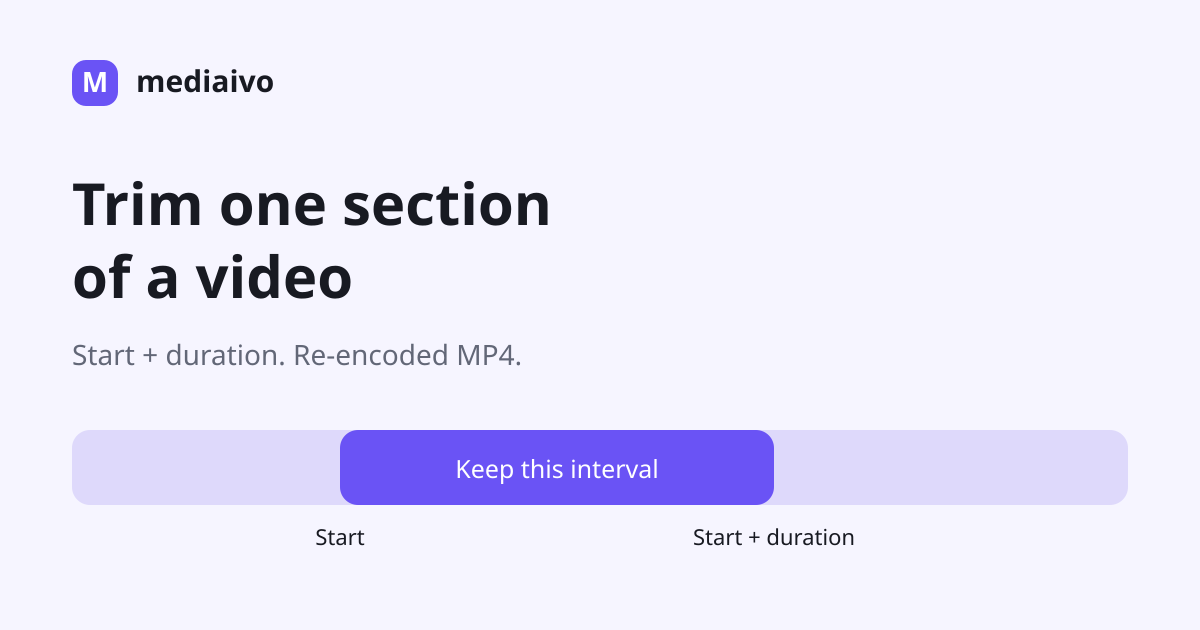
Keep one continuous section using start and duration, then check the re-encoded MP4 at both cut boundaries.
Read the guide
Choose dimensions that match the viewing format while keeping people, captions and important details properly framed.
Read the guide
Reframe a video with exact crop dimensions and offsets while protecting the subject, captions and visual balance.
Read the guide
Choose the correct direction once, keep the source and check how the rotated MP4 plays in the app that will receive it.
Read the guide
Create a silent video copy for captions, background visuals, presentations or privacy-sensitive sharing.
Read the guide
Choose a playback speed, calculate the expected duration and check the actual export before using it in your project.
Read the guide
Create a shareable looping GIF by choosing the useful moment, practical dimensions and an efficient frame rate.
Read the guide
Save the soundtrack, dialogue or recording from an authorized video in the audio format that fits your workflow.
Read the guide
Match your audio format to playback, web delivery or editing without creating avoidable conversion generations.
Read the guide
Cut an audio recording to the exact useful section while keeping speech, beats and fades natural.
Read the guide
Make a quiet recording easier to hear, understand what each percentage changes, and avoid turning a volume problem into distortion.
Read the guide
Reduce image file size while keeping product detail, text, faces and colour transitions clean enough for the destination.
Read the guide
Change pixel dimensions for websites, shops and social assets while keeping proportions and important details under control.
Read the guide
Choose JPG for photographs, PNG for lossless graphics and transparency, or WebP for efficient modern web images.
Read the guide
Select an exact rectangle inside an image and reframe the subject for a product card, profile image or content layout.
Read the guide
Create a copy with descriptive tags removed, inspect the result and understand why metadata removal is only one part of preparing a file to share.
Read the guide
Convert subtitle files for video players, websites and editing workflows while preserving cue order, timing and readable text.
Read the guide
Inspect the technical properties and embedded fields of a media file before converting, resizing, sharing or troubleshooting it.
Read the guide
Find matching dimensions from one known width or height and keep images, video and layouts in their original proportions.
Read the guide
Estimate a video’s approximate storage size from video bitrate, audio bitrate and running time before exporting.
Read the guideUse one clean vertical master for the major short-form platforms, then check framing, captions and platform UI before publishing.
Read the guideReach a small email attachment target with the least visible quality loss by removing duration first and compression last.
Read the guidePrepare a smaller Discord-ready copy without compressing more than your actual upload limit requires.
Read the guideChoose a video container based on where the file is going, not on the assumption that one extension always means better quality.
Read the guideBitrate is a quality-and-size budget, not a magic setting. Choose it from the content and destination.
Read the guide4K resolution alone cannot tell you file size. Bitrate and duration are the values that turn recording settings into a storage estimate.
Read the guidePick an image format based on what the image contains: photos, transparency, sharp graphics and browser delivery have different priorities.
Read the guideA concrete square-image starting point, a theme-check method and a worked crop, with Shopify’s own upload and optimization guidance.
Read the guideFollow an actual oversized JPEG through compression, then check bytes, dimensions and detail against your own upload requirement.
Read the guideRemove embedded metadata from a sharing copy, then inspect the visible photo itself for information you may not want to disclose.
Read the guideSRT and WebVTT both store timed text, but web players, syntax and styling capabilities make them useful in different workflows.
Read the guide9:16 describes the shape, not one resolution. Use matching dimensions such as 1080 × 1920 while preserving the vertical ratio.
Read the guideUse a clean 9:16 vertical master and protect the subject and captions from interface-heavy screen areas.
Read the guideMake a messaging copy that is small enough to send while preserving faces, captions and the parts of the clip people need to see.
Read the guideCalculate an episode’s size, see the converter’s actual settings and know when you need a different audio exporter.
Read the guideUse WAV for high-quality production handoff, and compressed formats such as MP3 or M4A when efficient delivery and compatibility matter.
Read the guideChanging the container may be minor, but re-encoding with a different codec or bitrate can radically change file size.
Read the guideMedia files can carry useful technical information and optional descriptive tags beyond the visible or audible content.
Read the guide