Drop your file here
or
Up to 250 MB per fileYour uploaded file is used for this job and deleted from the server after processing completes.
A media-processing example you can repeat
Checked September 9, 2026 using Mediaivo's processing functions and ffmpeg version 6.1.1-3ubuntu5 Copyright (c) 2000-2023 the FFmpeg developers. The source is an original synthetic test chart, with no personal data or third-party footage. This example is a still JPEG image.
Settings: Quality: 80
Download input · Download reference output · Measurements and method
| Measurement | Input | Output |
|---|---|---|
| Bytes | 66230 | 33890 |
| Pixels | 1280 × 720 | 1280 × 720 |
| Video/image codec | mjpeg | mjpeg |

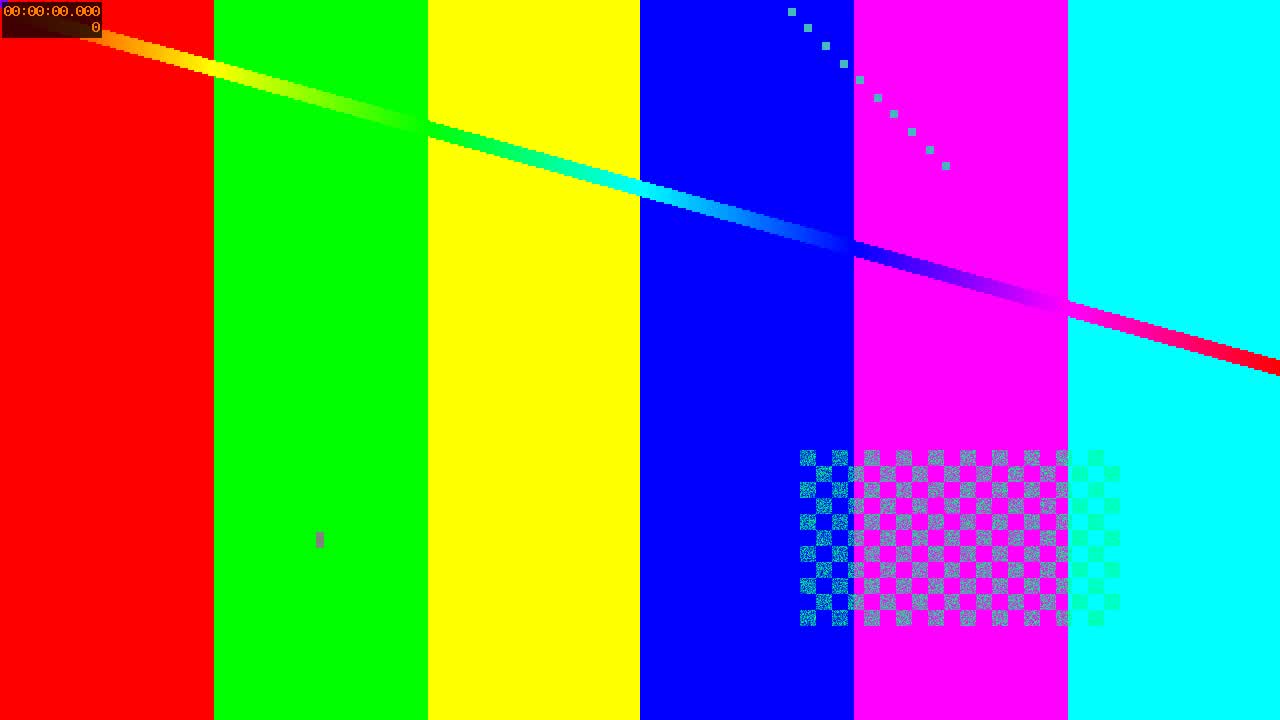
The JPEG keeps its pixel dimensions. Inspect fine lines and color boundaries at full zoom; quality is an encoder setting, not a promise of 80% visual fidelity.
How to Compress an Image Without Losing Too Much Quality
Reduce image file size while keeping product detail, text, faces and colour transitions clean enough for the destination.
How to use Compress Image
- Choose a JPEG, PNG or WebP. The reference below is a JPEG with fine lines and color edges.
- For JPEG/WebP, set Quality from 45 to 95. PNG uses lossless compression and does not use this quality slider.
- Process and inspect the output at full size. Pixel dimensions stay the same; a smaller byte count can still hide visible artifacts.
About this tool
Reduce image size for websites, shops and social posts. Mediaivo keeps the workflow deliberately focused so you can finish one task without learning a full editing suite.
Need more context? Read How to Compress an Image Without Losing Too Much Quality for practical settings, checks and trade-offs.