Check Shorts eligibility before export
YouTube’s current Shorts guidance, checked October 10, 2026, classifies new square or vertical uploads up to three minutes as Shorts. 1080 × 1920 is a useful vertical canvas, not the only qualifying dimensions. Music, rights and other publishing rules still apply.
Mediaivo Resize Video fits the whole source with black padding. It does not track a subject or reposition text; crop first to remove edges or use an editor for a designed vertical composition.
A 1080 × 1920, 9:16 vertical file is a strong practical starting point for YouTube Shorts because it matches portrait phone viewing with full-HD vertical resolution. Good dimensions cannot rescue a poor crop, so framing and readable text still need a mobile-first review.
Prepare a YouTube Shorts frame
Resize a vertical delivery copy while preserving the source proportions.
Why vertical composition matters more than the number alone
Shorts are consumed primarily in a portrait interface. A 9:16 canvas uses the phone screen efficiently and gives a creator more room for a single vertical composition.
The app interface still occupies parts of the display. Captions, product prices and calls to action should be placed with enough breathing room that interface elements do not make them difficult to read.
When the source is horizontal, a simple resize preserves the horizontal ratio. To create a real vertical short, you usually need a crop, reframing or a designed canvas.
How to prepare YouTube Shorts dimensions with Mediaivo
- Start from the original edit
Use a clean export before social platform recompression.
- Create a 1080 × 1920 canvas
Use 9:16 portrait dimensions as the working delivery frame.
- Reframe the subject
Keep faces, products and important action near the usable center of the vertical layout.
- Preview on a phone
Check caption size, edge spacing and the opening frame at real viewing scale.
When to use another size
Use a different resolution only when the source or workflow has a clear constraint.
| Situation | Recommended choice | Check before publishing |
|---|---|---|
| Standard vertical creator master | 1080 × 1920 | Strong default for a clean full-HD portrait workflow. |
| Lower-bandwidth source or workflow | Smaller 9:16 dimensions | Check that captions and faces remain clear. |
| Horizontal source | Crop or redesign into 9:16 | Do not distort the original image. |
Protect the first frame and text
A Short competes for attention immediately. The opening frame should communicate the subject without relying on tiny text or edge-aligned graphics.
If the source is low resolution, focus on strong composition instead of unnecessary upscaling. A clean smaller source can look better than an enlarged copy with artificial softness.
Common mistakes to avoid
1. Stretching 16:9 into 9:16
People and objects become unnaturally narrow.
2. Putting subtitles at the bottom edge
Interface elements can compete with or cover important text.
3. Using a previously downloaded Short as the new master
Repeated platform compression reduces quality.
4. Assuming more resolution creates detail
Upscaling cannot restore information absent from the source.
Final check before downloading or publishing
- The canvas is 9:16.
- The subject is framed intentionally.
- Captions are readable on a phone.
- The source was not stretched.
- The final file plays correctly before upload.
Frequently asked questions
Is 1080 × 1920 good for YouTube Shorts?
Yes. It is a practical full-HD 9:16 vertical starting point for Shorts workflows.
Can a Short be horizontal?
Under the current Shorts classification rules, new uploads must be square or vertical and no more than three minutes. A horizontal video is not made eligible just by giving it a Shorts title. Check YouTube’s current eligibility guidance before upload.
Should I upload a 4K Short?
Only if your production and delivery needs justify it. A clean 1080 × 1920 master is efficient for many creators.
How do I convert landscape footage?
Crop, reframe or place it inside a designed vertical canvas rather than stretching it.
Build Shorts for the phone screen
Use a clean 9:16 frame, protect captions and make the composition work before upload.
A media-processing example you can repeat
Checked September 9, 2026 using Mediaivo's processing functions and ffmpeg version 6.1.1-3ubuntu5 Copyright (c) 2000-2023 the FFmpeg developers. The source is an original synthetic test chart, with no personal data or third-party footage. Video is silent and three seconds long.
Settings: Width: 360; Height: 640
Download input · Download reference output · Measurements and method
Run this example in the tool →
| Measurement | Input | Output |
|---|---|---|
| Bytes | 2334407 | 48220 |
| Pixels | 1280 × 720 | 360 × 640 |
| Video/image codec | h264 | h264 |
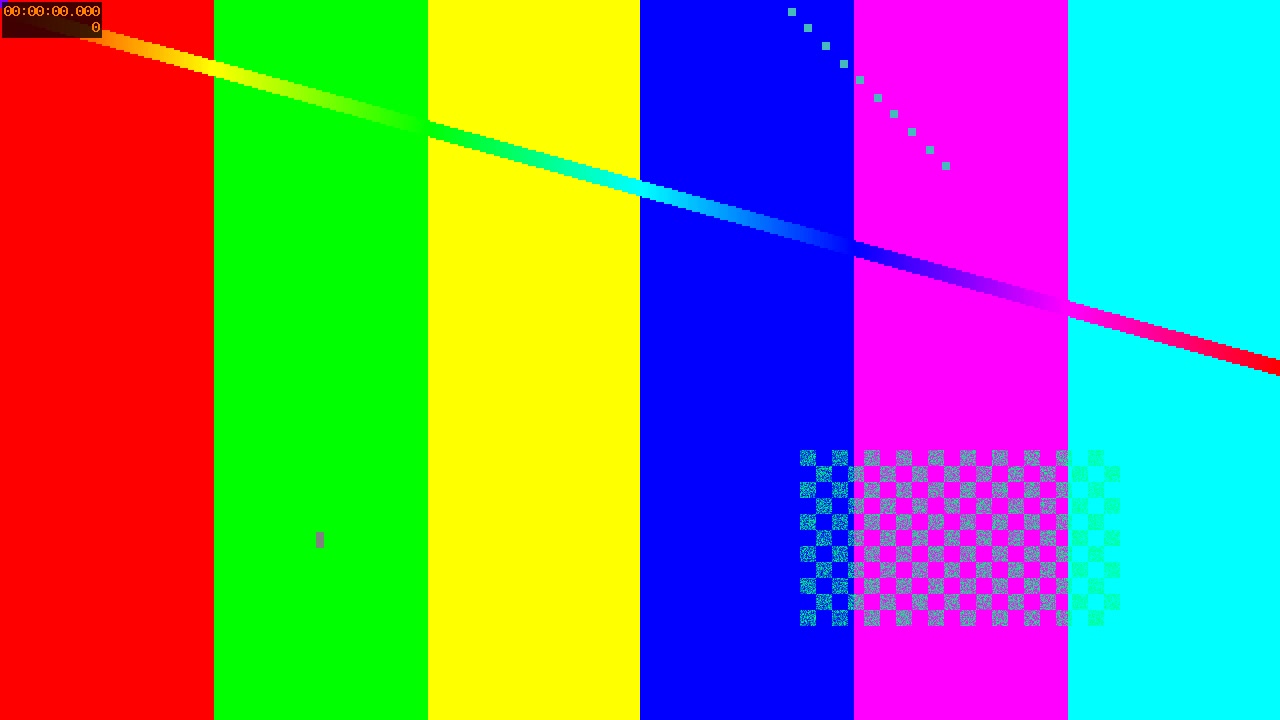
The complete 16:9 frame is fitted inside a 360 × 640 portrait canvas. Black bars are expected above and below; the image is not stretched.