Use a byte target and verify it
This guide uses a strict decimal target: less than 500,000 bytes. Some uploaders mean 512,000 bytes by 500 KB; the lower threshold fits either interpretation. The worked example below starts at 1,036,138 bytes and reaches 394,042 bytes with Quality 80, preserving its 1200 × 800 dimensions. It is an original synthetic dense chart, not a photograph or a guarantee for another image.
For JPEG and WebP, the quality control runs from 45 to 95. PNG ignores that slider and uses lossless compression; when a PNG still exceeds the target, reduce unneeded dimensions or deliberately change format. JPEG cannot keep transparency. Try each new lossy quality setting from the original, not from the previously compressed copy.
To get an image under 500 KB, remove unnecessary pixel dimensions first, choose an efficient format for the image type and then reduce quality gradually until the file fits. A strict size target is easiest to meet when you avoid spending bytes on pixels the destination never displays.
Create a smaller image copy
Compress your own image and compare the output at the size people will actually view it.
Why dimensions often matter more than people expect
A camera image may contain thousands of pixels in each direction even when a website displays it at a fraction of that size. Encoding all those extra pixels costs data.
Reducing dimensions to a realistic delivery size can create major savings before quality is lowered. After that, format and compression settings determine how efficiently the remaining pixels are stored.
The exact path to 500 KB depends on subject complexity. Noise, foliage, texture and detailed screenshots can require more data than simple graphics or smooth backgrounds.
How to reduce an image below 500 KB with Mediaivo
- Check the destination dimensions
Find the maximum width and height the image actually needs.
- Resize if the source is oversized
Create a delivery copy at sensible pixel dimensions before heavy compression.
- Choose an appropriate format
Use a photo-friendly format for photographs and preserve transparency or sharp graphics when required.
- Compress gradually
Lower quality in steps and inspect the result until it falls below 500 KB.
What to change when 500 KB is difficult
Protect the most important visual information first.
| Situation | Recommended choice | Check before publishing |
|---|---|---|
| Large photograph | Reduce excessive dimensions, then use moderate lossy compression | Check faces, texture and gradients. |
| Screenshot with text | Preserve readable text and edges | Prefer dimension reduction before harsh quality loss. |
| Transparent graphic | Use a transparency-capable format | Confirm edges and alpha remain clean. |
Judge the image at real display size
Pixel-peeping at extreme zoom can reveal differences that users never see, while a small caption or product label may fail at normal size. Evaluate the parts that matter to the destination.
Once the image is below 500 KB and visually acceptable, further compression only increases risk without solving a requirement.
Common mistakes to avoid
1. Jumping straight to the lowest quality
You may destroy detail when a simple resize would have saved enough space.
2. Keeping full camera dimensions
The website may download pixels it never displays.
3. Using one format for every image type
Photos, screenshots and transparent graphics have different needs.
4. Overwriting the master
Keep the original so future larger uses do not depend on a compressed web copy.
Final check before downloading or publishing
- The destination dimensions are known.
- The image has no unnecessary resolution.
- The file is below 500 KB.
- Text, faces and important detail remain clean.
- The original is preserved.
Frequently asked questions
Can every image be reduced below 500 KB?
Most can, but a very large or complex image may need dimension reduction or a visible quality trade-off to reach the target.
Should I resize before compressing?
Usually yes when the source dimensions are larger than the destination needs.
Will converting PNG to JPG reduce size?
Often for photographs, but JPG removes transparency and uses lossy compression, so it is not appropriate for every graphic.
Why is my screenshot still large?
Large dimensions and lots of small text or interface detail can require substantial data to remain sharp.
Reach 500 KB with the least damaging change
Remove unnecessary pixels, choose the right format and compress only until the requirement is met.
A measured JPEG that starts above 500 KB
Checked 2026-10-10 with ffmpeg version 7.1.5-0+deb13u1 Copyright (c) 2000-2026 the FFmpeg developers. These are original synthetic files, released under CC0 reuse terms. Executed the repository commandFor and runFfmpeg functions locally. Measurements by FFprobe and filesystem bytes; no production upload, physical device or subjective speech-quality test.
1,036,138 bytes to 394,042 bytes
Settings: quality: 80
Original synthetic dense chart, not a photograph. This tests the byte threshold and unchanged dimensions; visual acceptability depends on your content.
Download input · Download actual output · Exact commands, measurements and SHA-256 hashes
Open compress image and use the input and settings above.
| Check | Input | Output |
|---|---|---|
| Bytes | 1,036,138 | 394,042 |
| Dimensions / duration | 1200 × 800 | 1200 × 800 |
| Codecs | mjpeg | mjpeg |
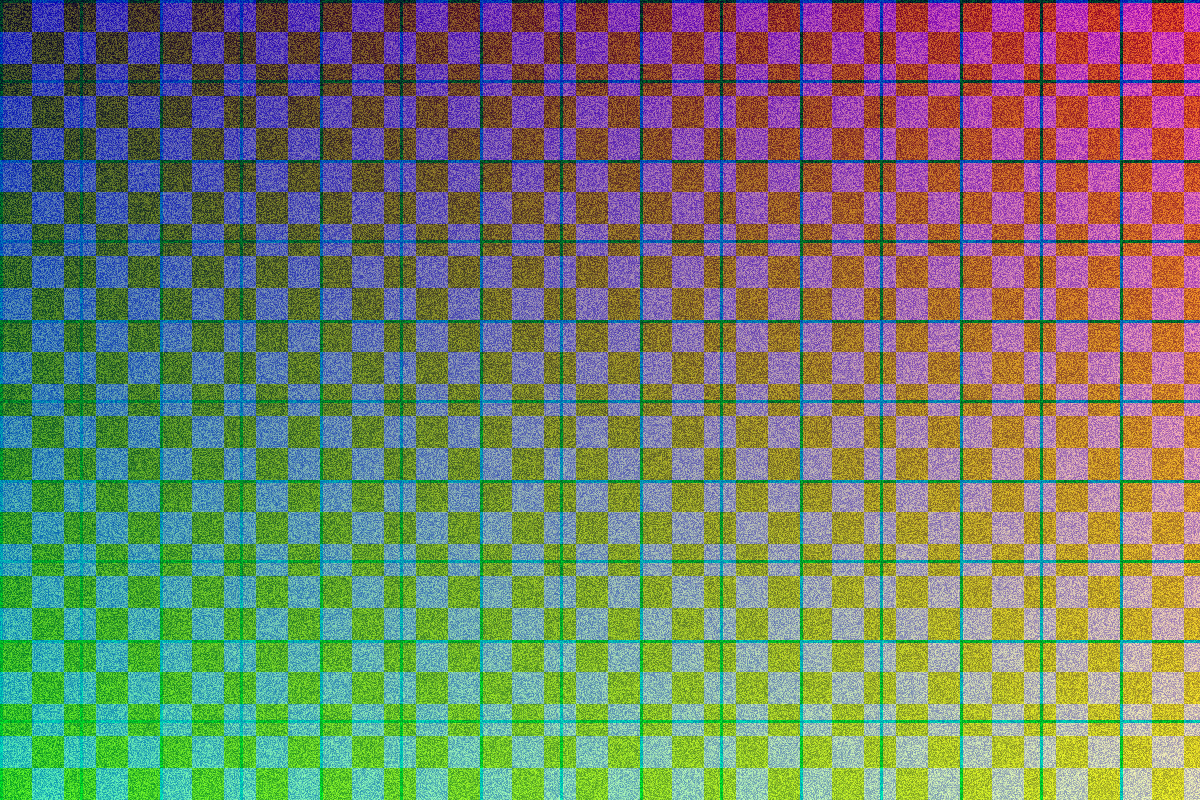
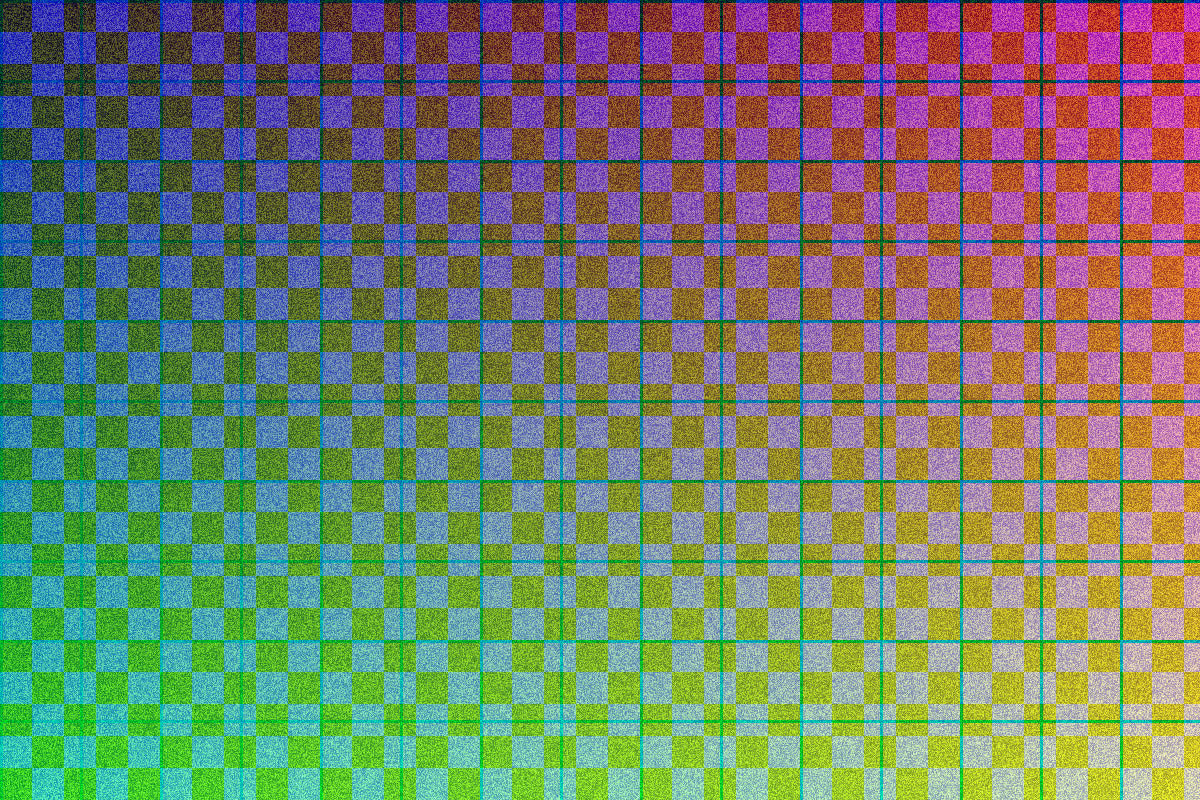
This check establishes the recorded behavior for these inputs. It does not prove acceptable quality for faces, text, speech, music, every codec or a particular phone. Compare your own result before sharing.